FAQ
Using Enkrypted Chat
Is Enkrypted Chat production-ready?
No. It is a proof of concept with no professional security audits. Core features such as group messaging are not reliable yet. Use it for testing, demos, and feedback only—not for sensitive communications or production use. For how the system is built, see the P2P Messaging Technical Breakdown.
How is encryption handled?
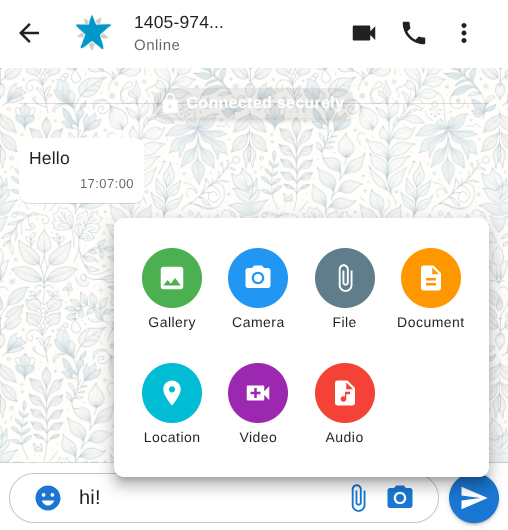
Messages are protected in two layers: WebRTC encrypts the connection between browsers, and an application-level cascading cipher adds another layer on top (combining approaches such as Signal-style protocols, MLS, and AES). If one layer were weakened, the others still apply—on top of WebRTC’s required encryption.
Perfect forward secrecy means past messages stay protected if a key is compromised later. A new key set is created for each new connection and reused in later sessions. All keys stay on your device—there is no central authority holding them.
Read more about the technical design.
Do I need to register?
No. Your peer ID and keys are generated on your device when you open the app. A paid or registered option may be explored in the future to help sustain the project—see How is the project funded? below.
Can I use Enkrypted Chat on mobile?
Yes, in any modern browser with WebRTC support. Experience may vary by platform.
Is my data stored on a server?
Your peer ID, keys, and conversations stay on your device. A peerjs-server (open source and self-hostable) only brokers the initial WebRTC handshake—it does not store message content.
If a direct peer connection cannot be established, TURN servers (for example metered.ca) may relay encrypted traffic without saving it. You can use your own API key for options such as relay mode. The app tries to keep metadata small (who messaged whom, when), though features like typing indicators and read receipts add some overhead.
Files follow the same model: encrypted on your device before they are stored, with no server-side plaintext copy.
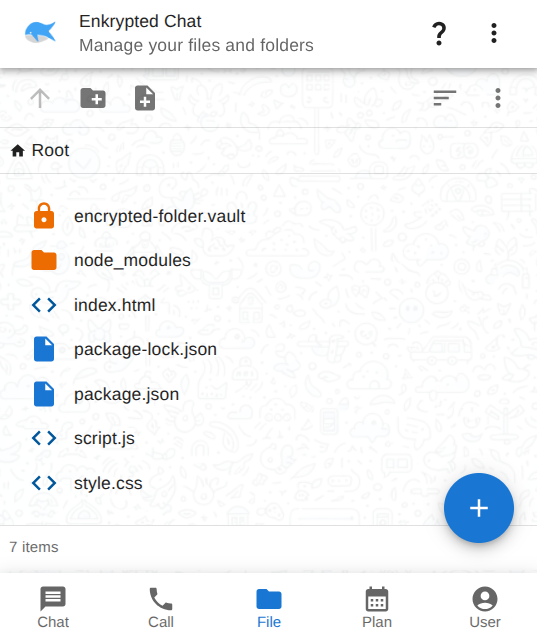
Is there a file or folder explorer?
Yes — file management is built into the app.
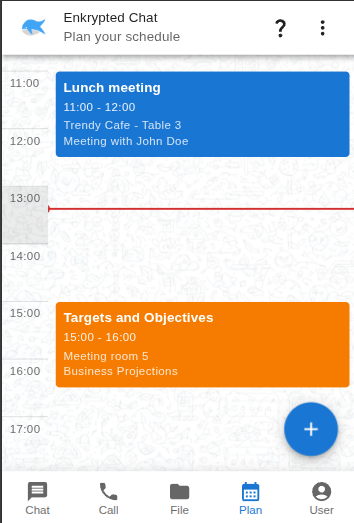
Is there a calendar or planner?
Yes. Open the Plan tab to view and manage your schedule.
See Plan.
Can I browse files on my own computer?
By default, files live in private browser storage (OPFS). They persist in the app but are not visible in your OS file manager.
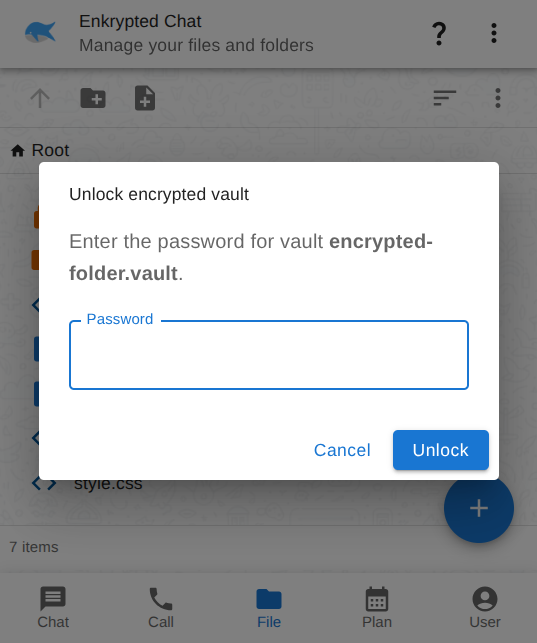
You can optionally mount a folder via the File System Access API for on-disk storage. Create an empty folder first, then grant access when prompted.
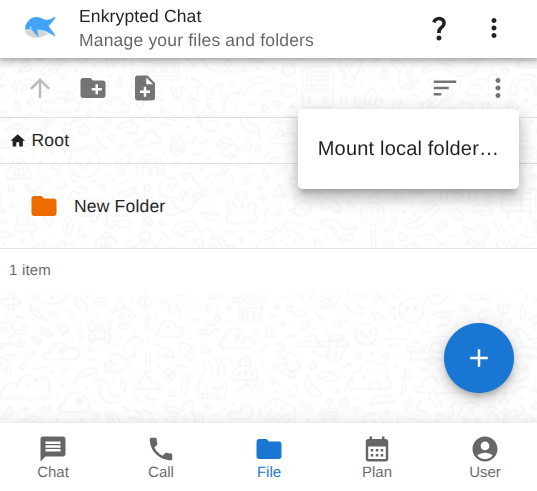
Remote folder browsing over WebRTC is planned but not available yet.
Are files and documents production-ready?
No — same experimental, unaudited status as the rest of the app. Not a replacement for services like Nextcloud. See the caution note on Features.
How do I connect with someone?
- Click Create new chat.
- Click Add peer.
- Exchange connection links, QR codes, or peer IDs.
- Open the chat once connected.
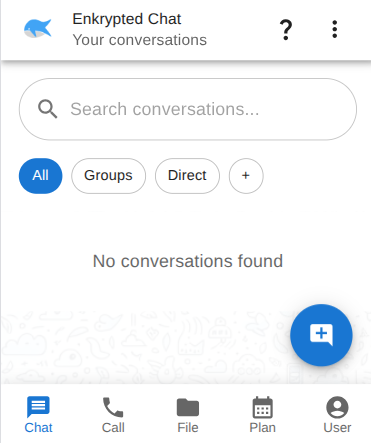
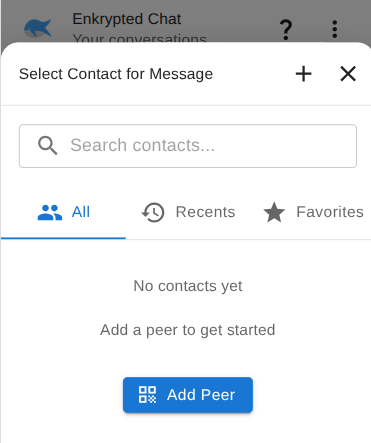
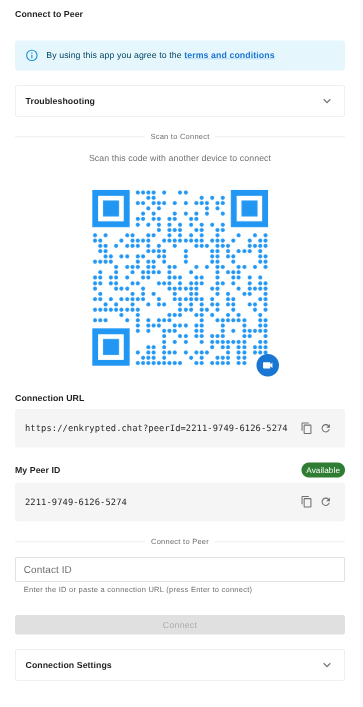
Exchanging connection details offline is the most private way to set up signaling. See this discussion for connecting without a connection broker.
Chat — Connect with someone has the full walkthrough.
Project & security
Why are some parts closed source?
The project exists in two forms: an open-source version on GitHub and a closed-source build. Several grant and funding applications were declined, and sustaining development on open source alone has been difficult. Closed-source pieces are partly a practical choice, not a statement that open source is unwanted.
How is the project funded?
The project is not monetized today. Options under consideration include a small subscription (for example around $1/month via Clerk). Grants, GitHub Sponsors, and website ads were tried; ads were removed because they conflicted with the project’s privacy goals and brought almost no revenue. None of this is for lack of trying—the app remains free to use for testing.
How does it compare to Signal, SimpleX, Element, etc.?
Enkrypted Chat is still early stage. A feature-by-feature comparison table would be misleading—especially while group messaging and other core pieces are incomplete. If you want to compare technical approaches yourself:
Is it safe to run this as JavaScript from the web?
That is a fair concern: code loaded from the network can change between visits. Mitigations in progress or available today include:
- Service worker caching (still being improved) with a planned Update control to refresh cached files deliberately.
- A static bundle you can self-host or open locally without a server—see the open-source Frontend on GitHub.
Self-hosting or offline use reduces reliance on fetching scripts from the internet each time.
What makes Enkrypted Chat different?
It ships as a progressive web app (PWA): you can use it in the browser without installing an app or creating an account, which suits some threat models. A native build is also planned so you can choose the form factor that fits you—browser-only, installed app, or self-hosted static files.
What about Chat Control (EU)?
Server-based messaging architectures can be pressured to scan content client-side. This project aims at decentralized peer-to-peer delivery without a central message store that could be forced to implement mass scanning. Tradeoffs and limits are discussed in this thread.
Is this AI-generated?
Yes — AI is used openly and enthusiastically across development, documentation, and problem-solving. It is a powerful collaborator that speeds up iteration and helps explore ideas that would take much longer alone.
That does not replace the human work behind this project: architecture, security tradeoffs, implementation decisions, testing, and the time invested to get here are still mine. AI amplifies that effort; it should not be read as diminishing it.
Learn more
- Chat — connect and message
- Calls — audio, video, and screen share
- Files — browse and edit files
- Plan — calendar and schedule
- Features — what works today and what is planned next
- P2P Messaging Technical Breakdown — architecture, implemented features, and roadmap
- Mastodon @xoron — questions and feedback